Tidy up while everything is in view
By midday thirty windows are open and half are no longer needed. In the all-windows view you can see what to close.
Mission Control FX
A replacement for Mission Control Plus — from Sequoia through macOS 27
Mac can show every window at once. That’s Mission Control. The system still will not let you close anything from there. We put a close button on each one.
Free. Version 1.1.3, 0.6 MB. One permission: Accessibility. Screen recording is never requested.
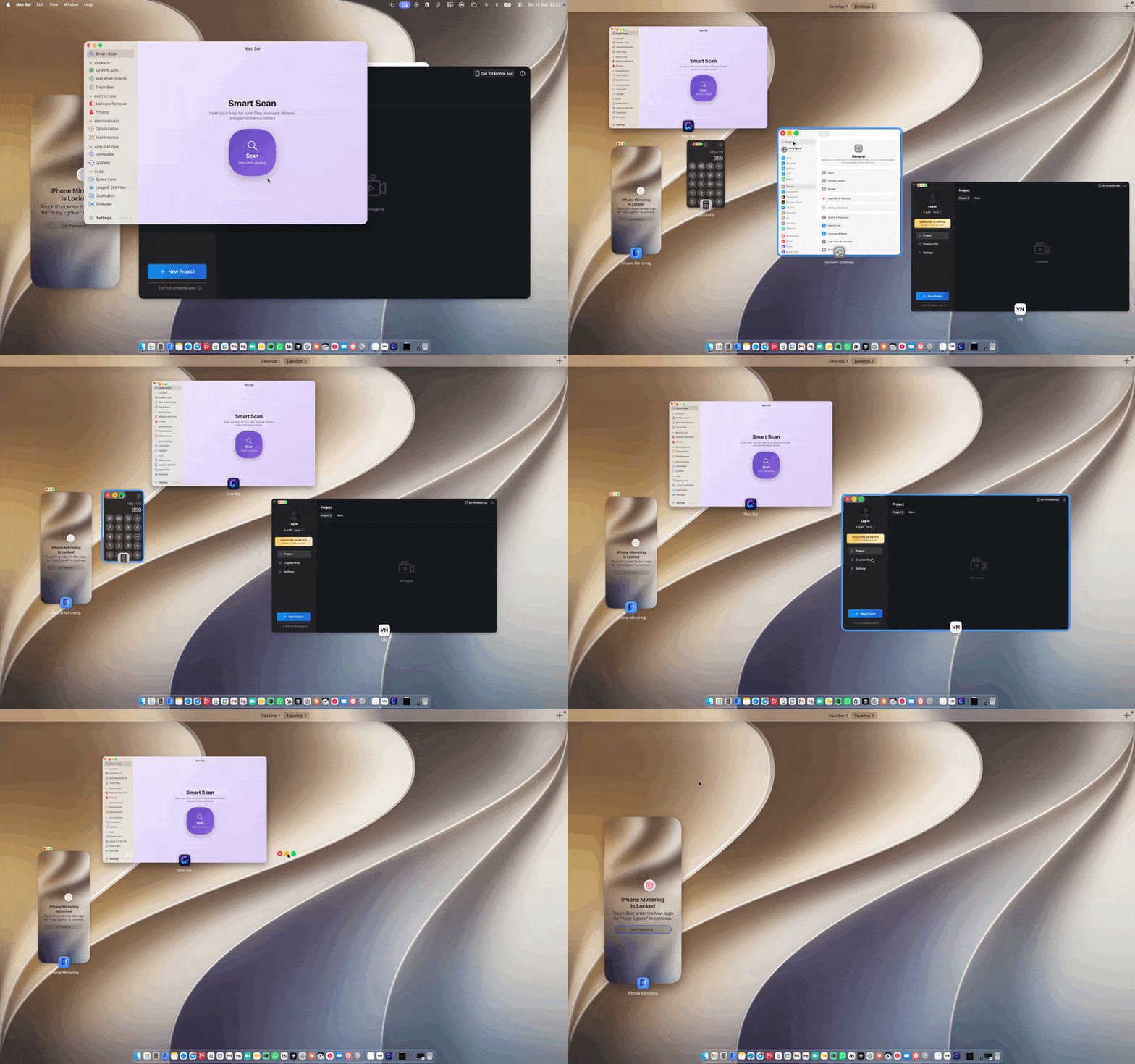
By midday thirty windows are open and half are no longer needed. In the all-windows view you can see what to close.
Mission Control shows every window and does not let you close them. The close button does it on the spot. Then the next. The desktop clears in one pass — ten windows, ten clicks.
Mission Control Plus no longer adds close buttons on macOS 27 — we tested it. It never covered App Exposé. Mission Control FX puts close buttons in both overviews, and has been tested on macOS 15 Sequoia, Tahoe (26), and 27.
0.078% of one core at rest. It stops completely while the displays sleep.
Screen recording is never requested.
That permission would expose everything on the machine. The app does not need it: it sees the windows in Mission Control and App Exposé and presses close. Accessibility alone is enough.
A .dmg for macOS 15 and later.
Free. Version 1.1.3, released 13 September 2026, 0.6 MB.
macOS grants the permission to one specific file. After an update, turn Mission Control FX on in Accessibility again.
You can do step two in Terminal instead — paste the line below.
xattr -dr com.apple.quarantine "/Applications/Mission Control FX.app"macOS does not let you. This app puts a close button on each thumbnail. Click it — the window closes, and you stay in the overview.
Yes. Control+↓ opens App Exposé — one app’s windows. The close button and the traffic lights are the same as in Mission Control.
To find the window thumbnails inside Mission Control and press the close button on them. macOS doesn't let a third-party app touch another app's UI elements without it.
The app isn't notarized by Apple yet. Open System Settings → Privacy & Security, scroll down, and click Open Anyway. The fallback is the xattr command above.
macOS 15 Sequoia, Tahoe (26), and macOS 27 Golden Gate — tested by hand, each with the date it was tested.
Because Mission Control Plus, which I used for years myself, no longer adds close buttons on macOS 27. It didn’t cover App Exposé either. Mission Control FX puts them in Mission Control and in App Exposé.

Like the app? Buy me a coffee